Francesca is our back office for small companies without an accounting department. Receipts, invoices, contracts and bank statements arrive by Telegram, email or upload. Francesca reads each one, proposes where it belongs and fills in its fields. A person files it, and the accountant opens tidy folders with the originals attached.
It also issues the company's own invoices. Mont3's invoicing and books have run on it since July 2026.
Product
FrancescaMont3's own, for small companies and their accountant.
Live
Since July 2026At francesca.mont3.ch, and in Mont3's own daily use.
Built
From 5 July 2026More than 700 commits in four months.
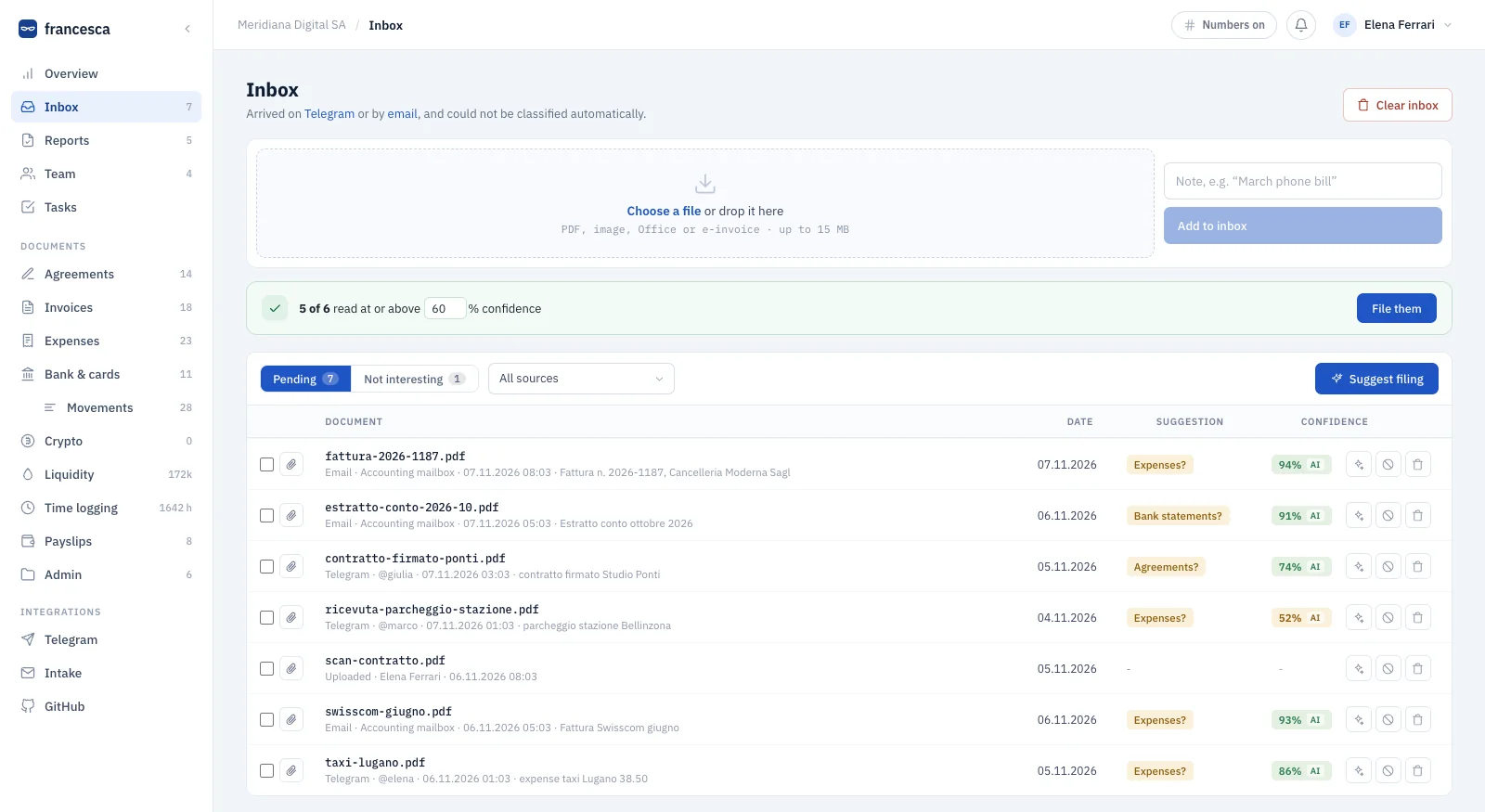
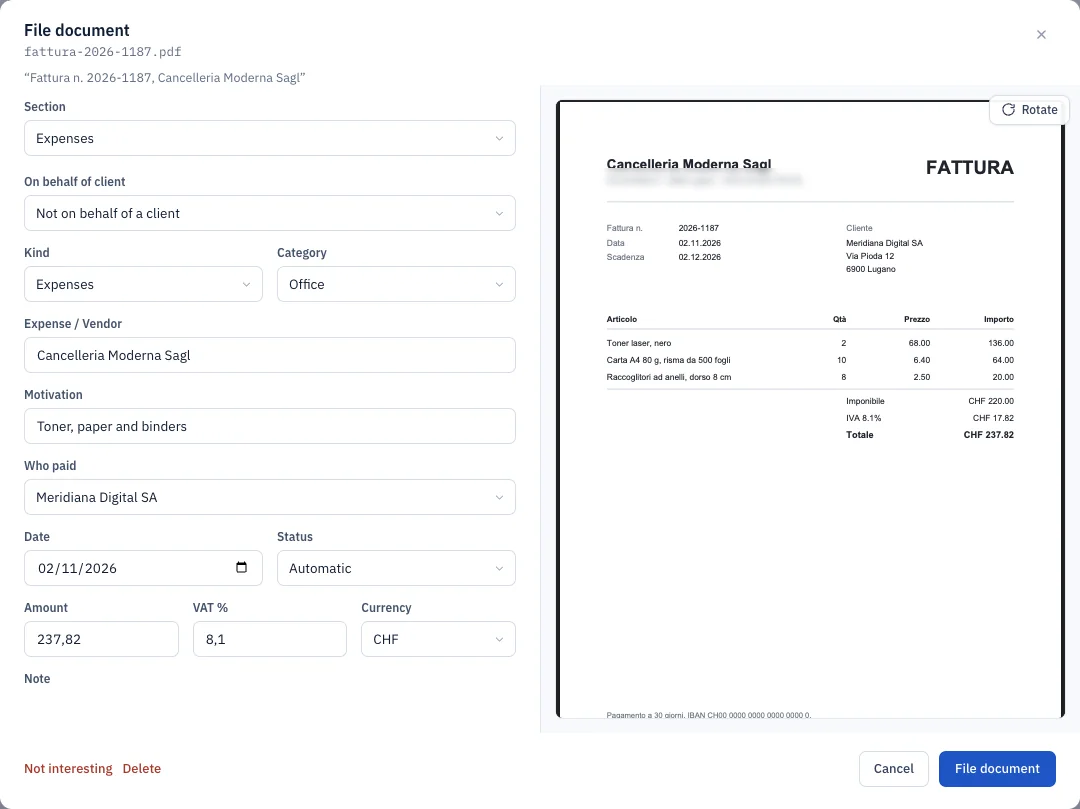
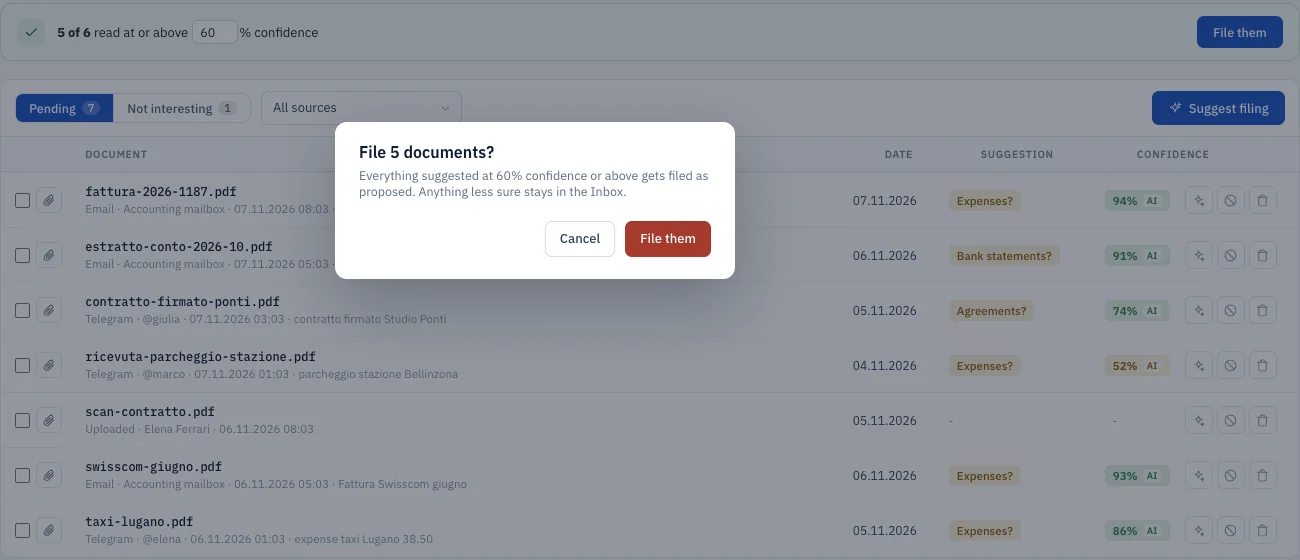
The screens below come from Francesca's demo company, Meridiana Digital SA, with invented documents.
What made it hard
- Whose invoice is it. An invoice the company issued and a bill it received look alike. The model is told to look at who issued it.
- Guesses that move money. The fields for who paid, which client and the billing email stay blank unless the document prints them. A VAT rate is never taken for a VAT amount.
- Photos from a phone. Receipts arrive crooked, on a table, in poor light. The first cropper found the page in 4 of 19 real photos; the one in use gets 14 of 15 right.
- Albums on Telegram. Several photos of one document arrive as separate messages, and nothing says when the last one has come.
- Bank statements as PDF. The columns are lost in the text, so whether money came in or went out is read from the running balance.
What shipped
- One inbox. Telegram, email and upload land in the same place. Duplicates are caught, photos cropped with the original kept, albums merged into one document.
- Nine sections. Agreements, invoices, expenses, bank, cards, crypto, time, payslips and admin.
- Invoices out. An invoice generator with an AI chat to draft them, sent to the client by email.
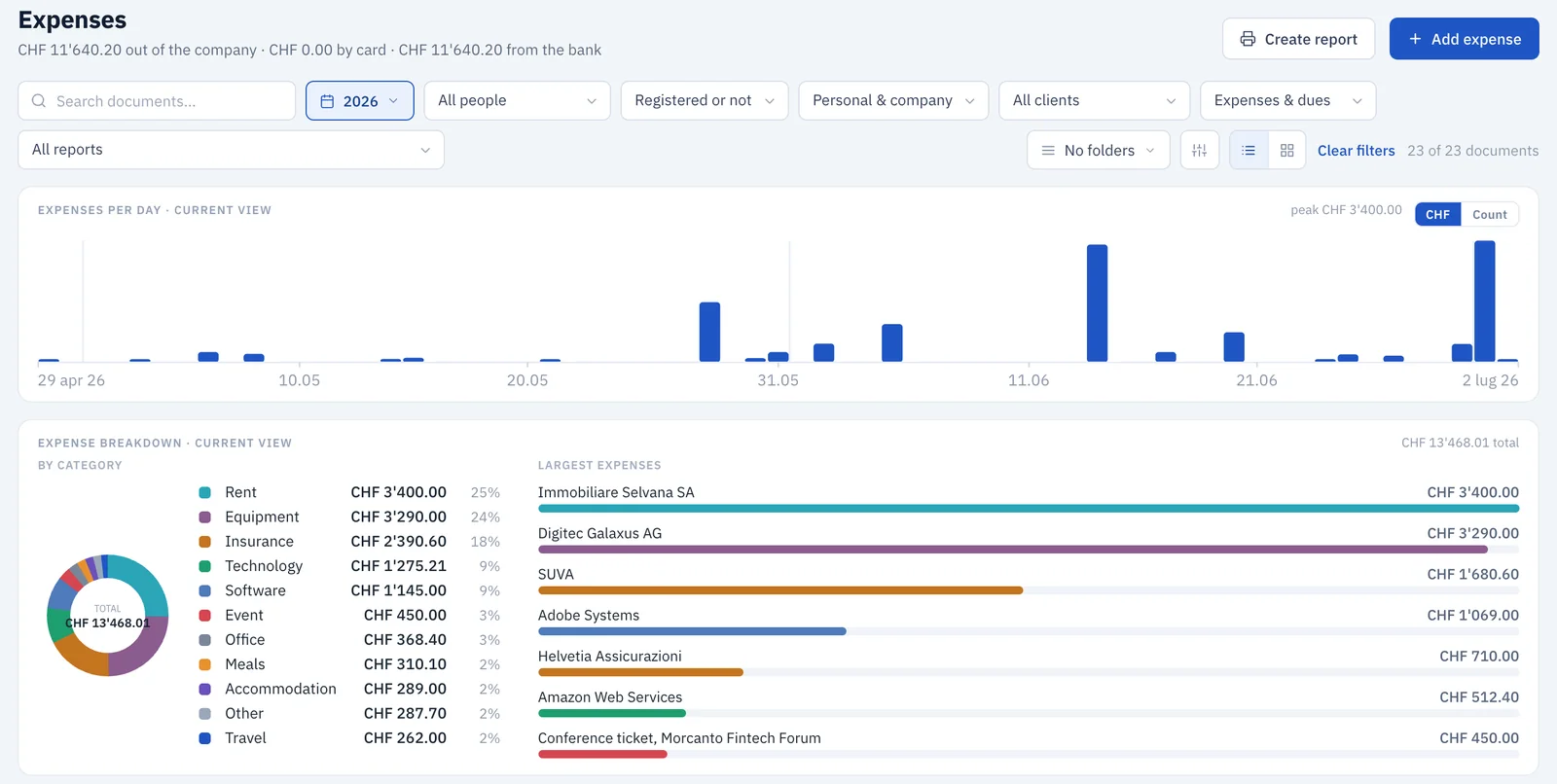
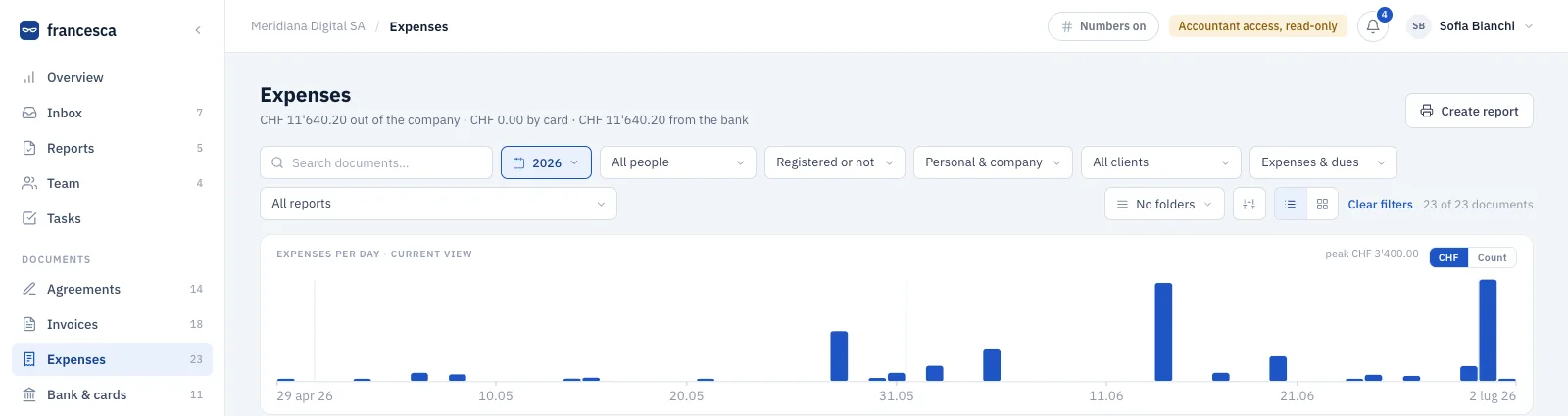
- Costs. Every expense by day, by category and by supplier, with the largest on top, and filters by person, client and report.
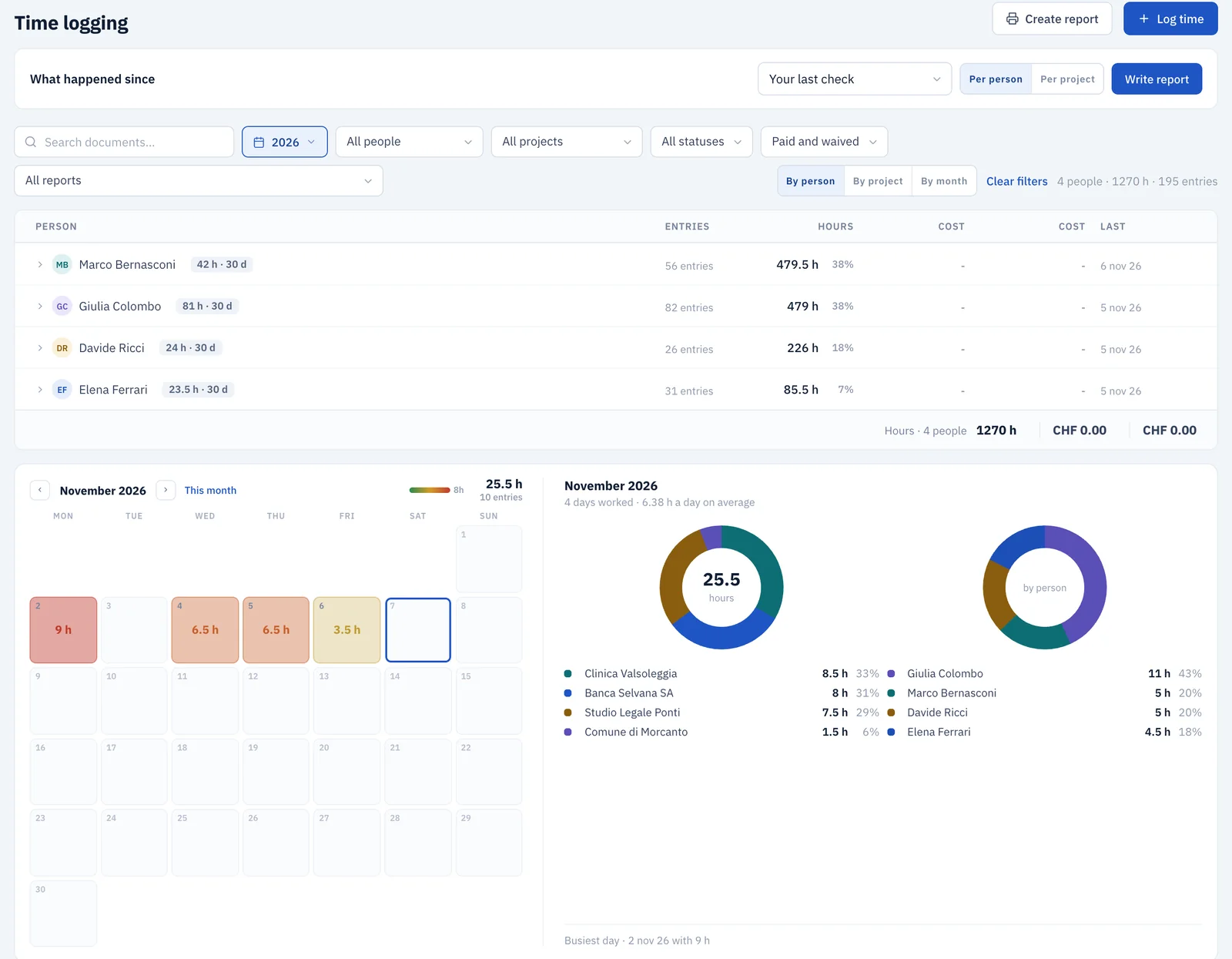
- Time. Hours logged by person and by project, the month day by day, the split by client, and a report from any range.
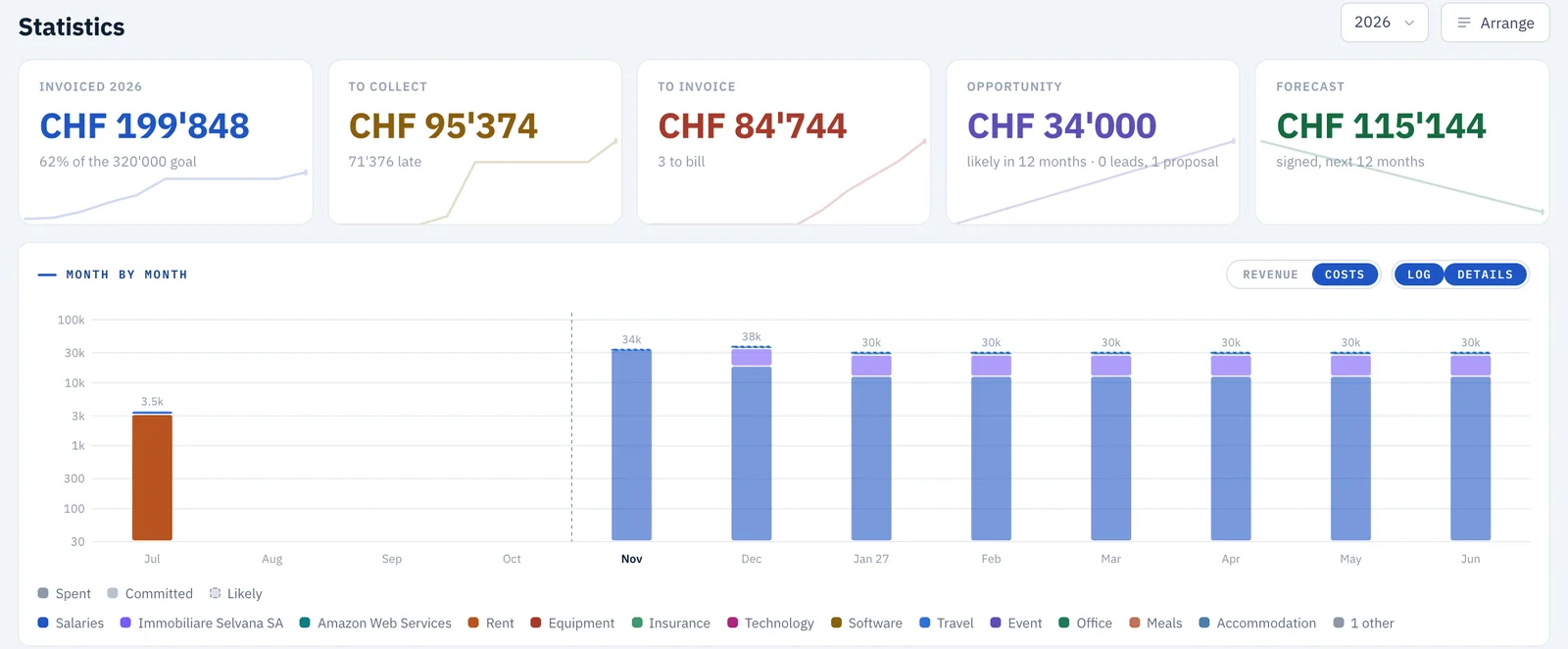
- Statistics. Invoiced, to collect and to invoice, the pipeline and a forecast, revenue and costs month by month, the bank movements nobody has explained yet, and the year's goals.
- Bank matching. Each bank movement linked to the document behind it.
- The accountant's login. They read the books without changing them, and can add notes, save reports and assign booking numbers.
From arrival to filed
- Arrival. Every document is fingerprinted, so a second copy is caught. It waits in the inbox with no guess attached.
- Suggest. An admin asks for suggestions, up to 40 documents at a time.
- First pass. The model reads the document and proposes a section, a confidence from 0 to 100, and its reason.
- Second pass. It fills that section's form, field by field, as structured data. An email field that comes back with the company's own address is emptied.
- One click. "File N documents" files every suggestion at or above the company's threshold, 60 by default, after a confirmation. The rest wait for a person.
How we built it
- 5 July 2026. The first commit already took documents from Telegram and email, and issued invoices.
- July. Several companies on one install; confidence scores and filing in one click; the AI reading the attachment itself; the move to PostgreSQL, made with the service running.
- September. Automatic cropping, bank movements matched to documents, a choice of AI models including local ones, and one shared Telegram bot paired with a code.
- Late September. Nothing is filed on arrival any more, and every document waits for a person to ask.
Result
- Mont3's own invoices and books run on it, from the receipt photographed on a phone to the accountant's folder.
- The AI proposes, with a confidence and a reason, and a person files.
- The accountant works from the originals, in folders that match the sections.
Stack
- Backend. Django 4.2, PostgreSQL 16, plain JavaScript.
- AI. Claude, by Anthropic, Haiku 4.5 by default. A company can bring its own key and model, local models included.
- Intake. The Telegram Bot API, Gmail and IMAP, uploads.
- Documents. OpenCV for cropping, PDF parsing, reportlab for the invoices.
- Tests. About 1,900 automated tests.
Article 038 · 22 November 2026 · 5 min read.
Reply to paolo@mont3.ch.